
Client project · iOS · Android · Flutter
Al-Burda البُردة الشريفة
A calm, fully offline Arabic reading and listening companion, shipped to the App Store and Google Play.
- Role
- Built from scratch as a solo project: Flutter app, Arabic RTL UI, iOS widget, audio, and App Store & Google Play release under my own account.
- Status
- Live on the App Store & Google Play
- Stack
- Flutter
- Dart
- Clean Architecture
- Bloc
- WidgetKit
- Local notifications
- Background audio
01
The product
Al-Burda is a quiet companion for people who read or listen to the Burda of Imam al-Busiri. Readers open a gilded, verse-by-verse page, play a recitation, get a gentle verse reminder through the day, and see the verse of the day on their lock screen without opening the app.
02
My role
Built from scratch as a solo project for a client, from their requirements. I owned it end to end: the Flutter app and its architecture, the Arabic right-to-left UI, the native iOS lock-screen widget, audio and notifications, through to shipping it on the App Store and Google Play under my own developer account and every update since.
03
The hard part
A devotional app has to feel calm and trustworthy. That meant three hard constraints: it had to work with no internet connection, collect no data at all, and still feel alive through reminders, a lock-screen widget and audio that behaves properly around calls and Bluetooth devices.
04
Decisions and why
Fully on-device by design
No servers, no account and no analytics. Text, audio and progress live on the device, so the app works offline from first launch and the privacy promise is structural, not a policy line.
Clean Architecture with Bloc
Reading, audio, reminders and stats are separate features with their own state, which keeps the reader simple while the audio and reminder engines evolve independently.
Native where it matters
The lock-screen widget is built with WidgetKit so the verse of the day appears natively on iOS, alongside interactive notification cards for reminders.
Audio that respects the phone
A dedicated release focused on playback robustness: no overlap between the full recitation and verse clips, correct pausing during calls and Bluetooth route changes, and steadier lock-screen and background controls.
See a public sample of this pattern on GitHub (opens in a new tab)
05
What I built
- Arabic RTL reader with verse-by-verse navigation
- Offline recitation with lock-screen and background playback controls
- Daily reminder engine with interactive notification cards
- iOS lock-screen widget showing the verse of the day
- Reading statistics, progress and streaks
- A library of the Burda and other poems with search
-
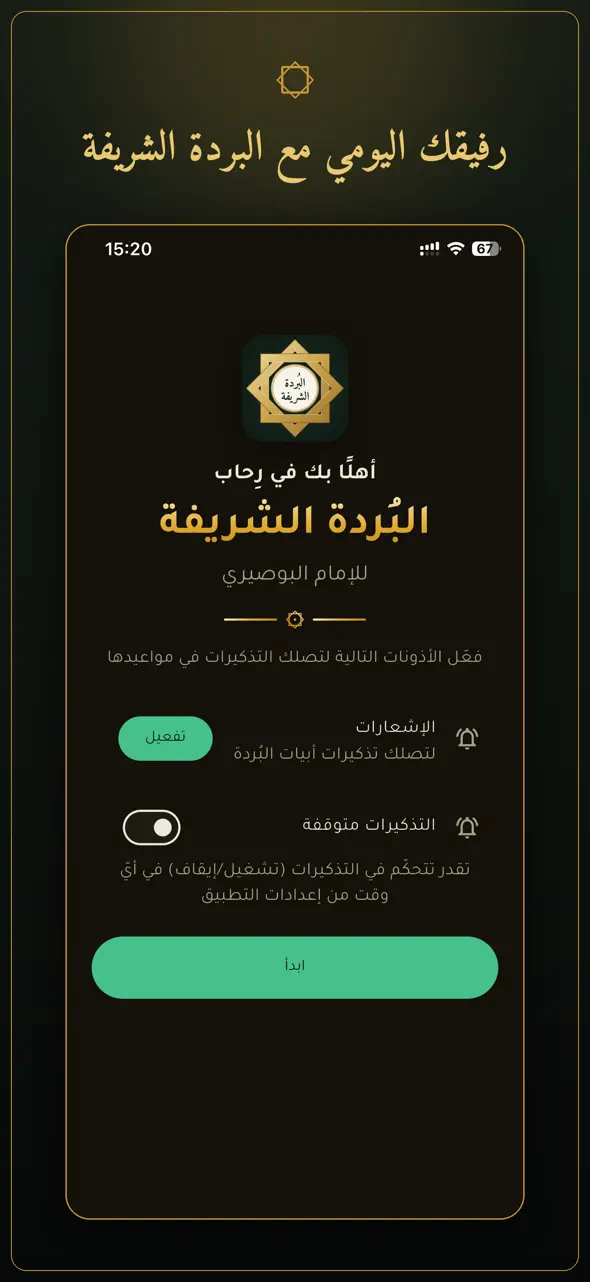
Onboarding: notifications and reminder permissions, explained up front. -
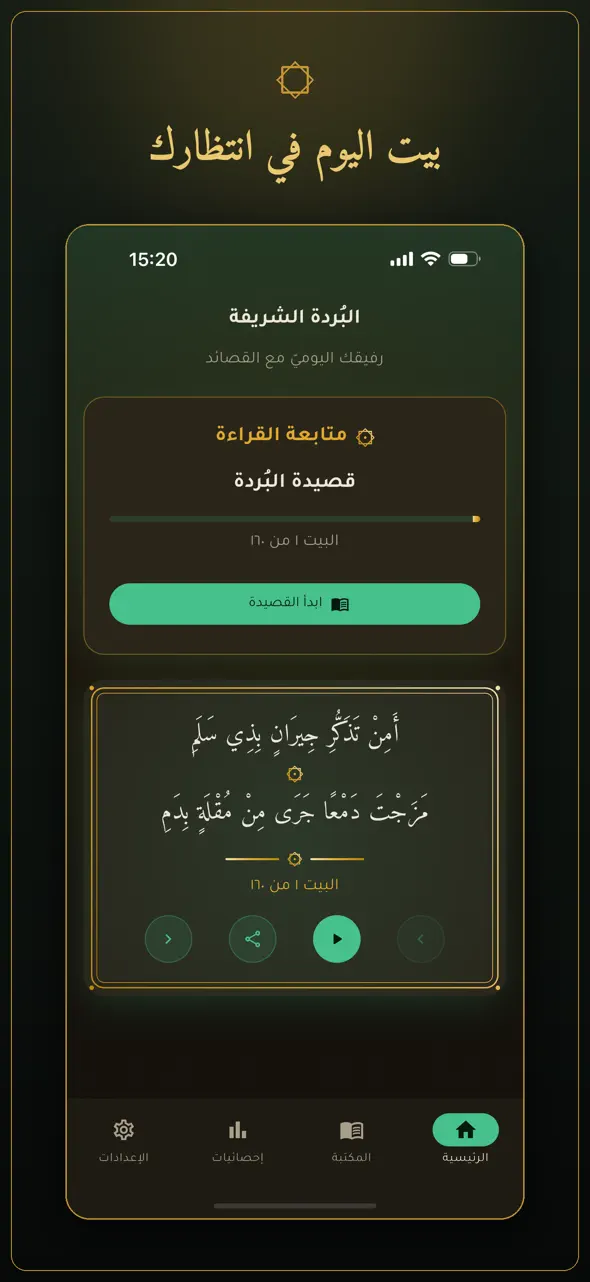
Home: reading progress and the verse of the day, with audio controls. -
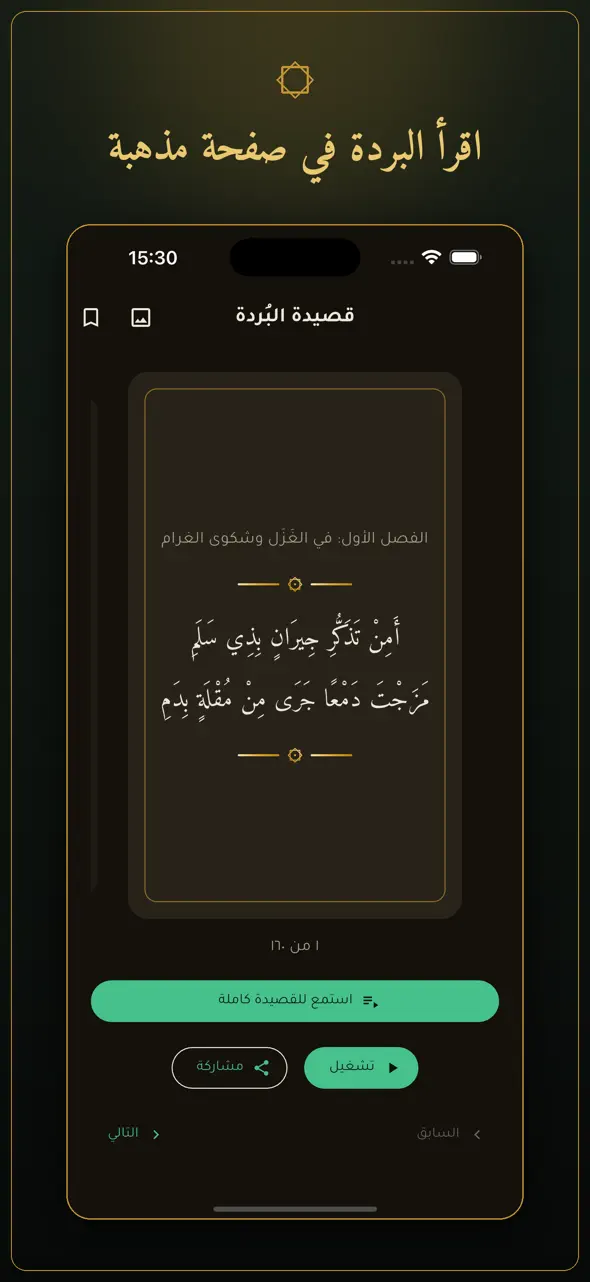
Reader: verse by verse on a gilded page, with recitation alongside. -
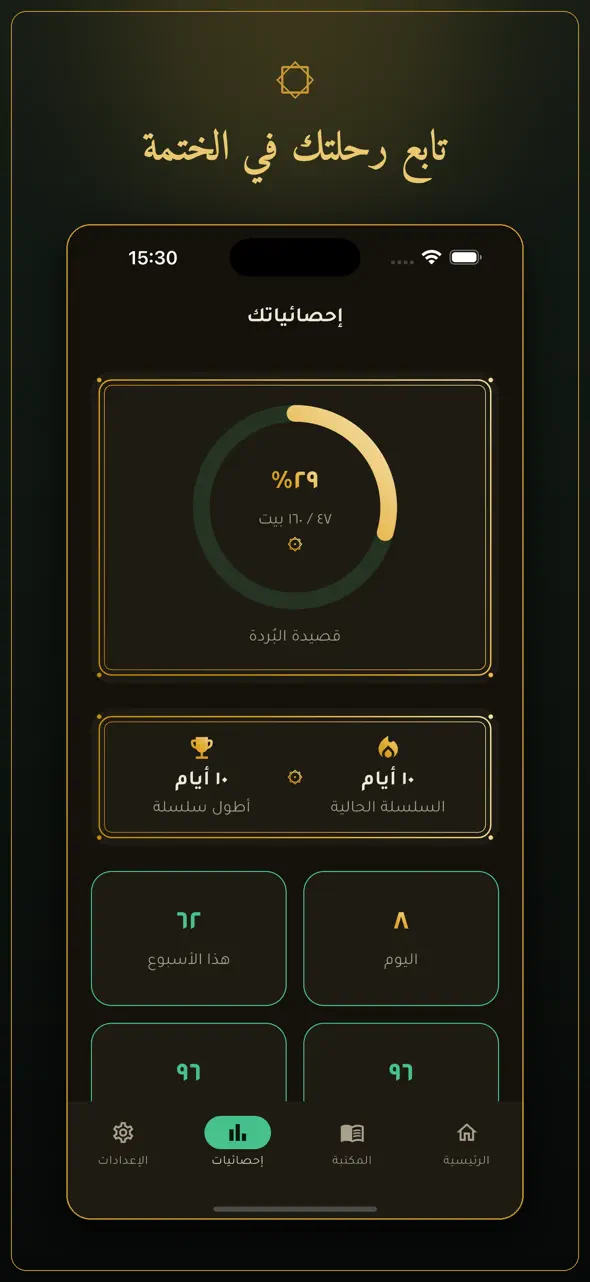
Stats: completion progress and reading streaks. -
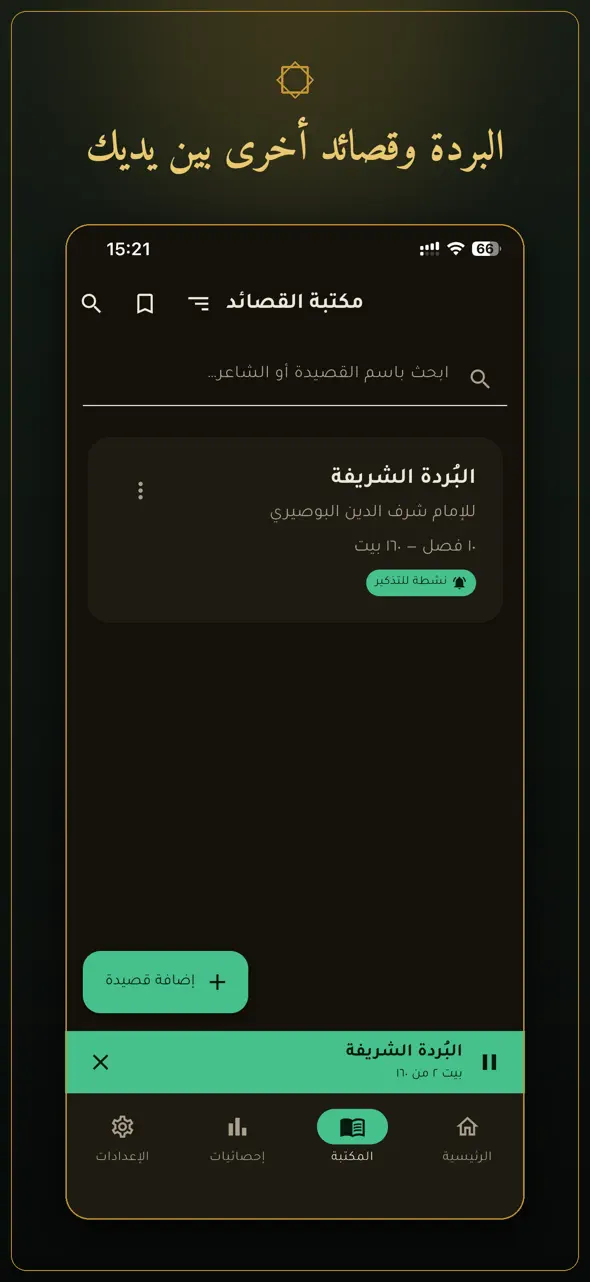
Library: the Burda and other poems, searchable, with a persistent player.
Screenshots from the app’s public store listings.
06
Result
Shipped to the App Store and Google Play, and maintained through regular updates. Free, offline, and free of ads and tracking.
07